 Stempel
LOOK BACK
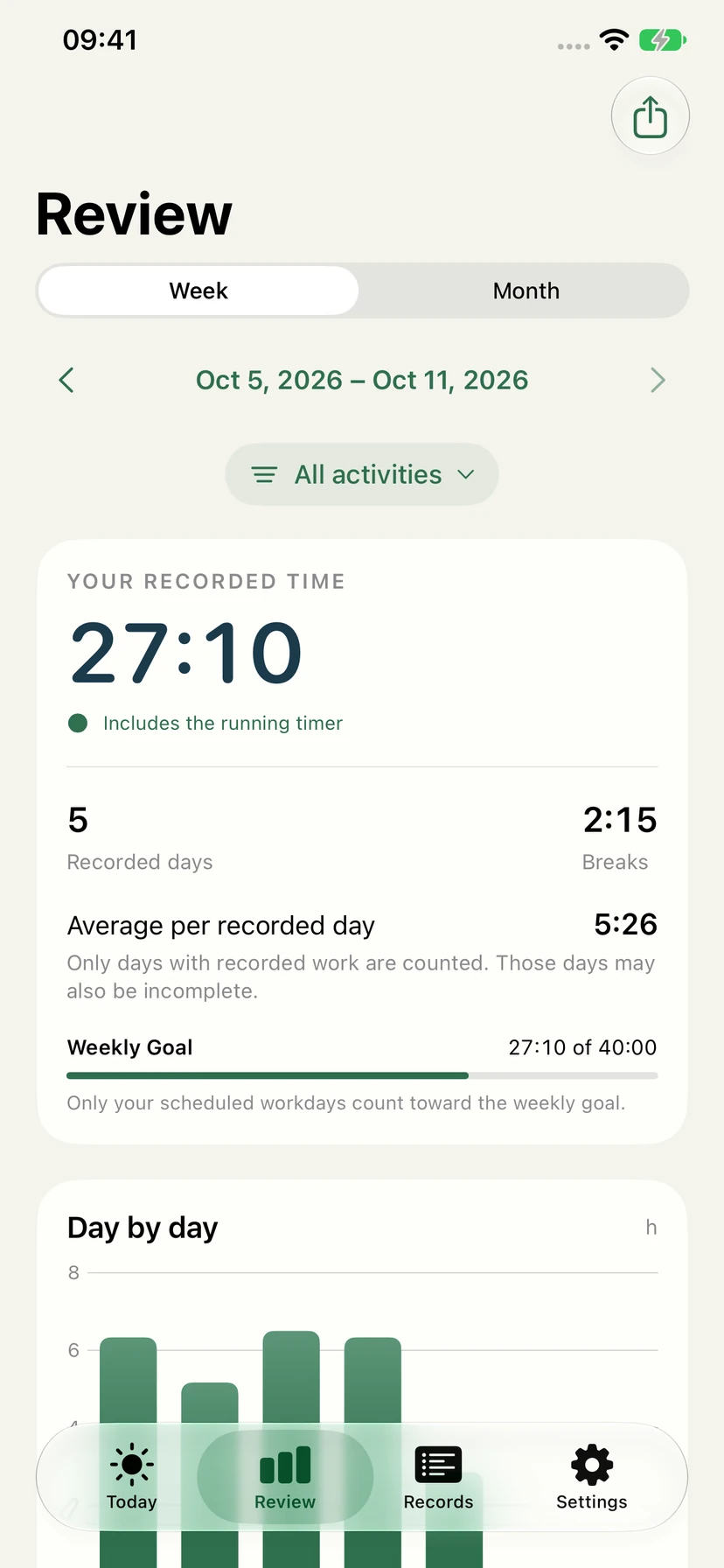
More than today’s total.
Explore earlier weeks and months, filter by activity, and open the records behind a day’s chart.
PERSONAL TIME TRACKING
A calm place for the time you put into your work. Start a session, take a break, and come back to a record that makes sense.
One purchase. No subscription.
No Stempel account, ads or analytics.
1.0 available now · 1.1 awaiting App Review
The App Store download is currently version 1.0. The new features and screenshots below preview version 1.1, which is awaiting review.
A CLOSER LOOK AT 1.1
From the week you have just finished to the break you forgot to record, the next update brings the details into focus.
LOOK BACK
Explore earlier weeks and months, filter by activity, and open the records behind a day’s chart.
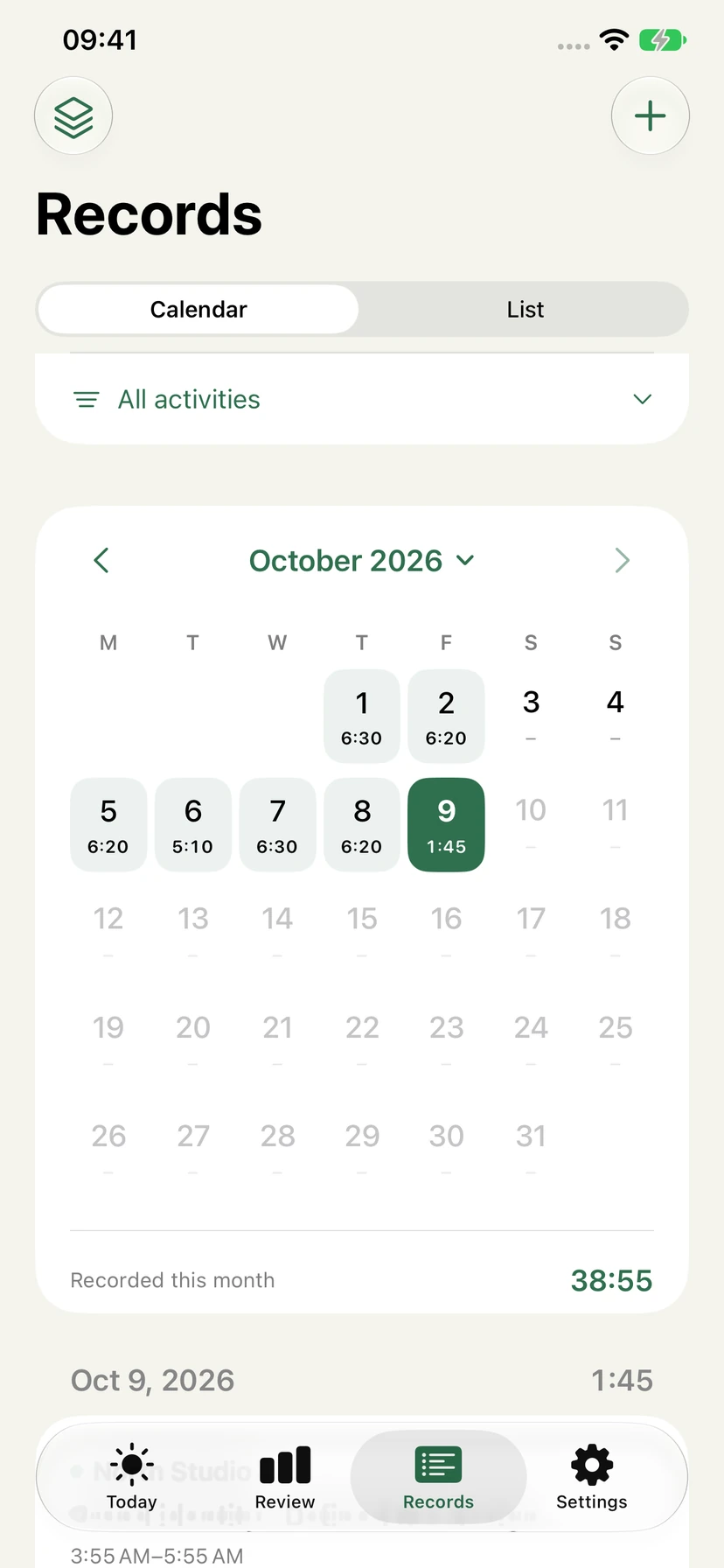
FIND YOUR PLACE
Move between a monthly calendar and a searchable list. Pick a date to see what you worked on.
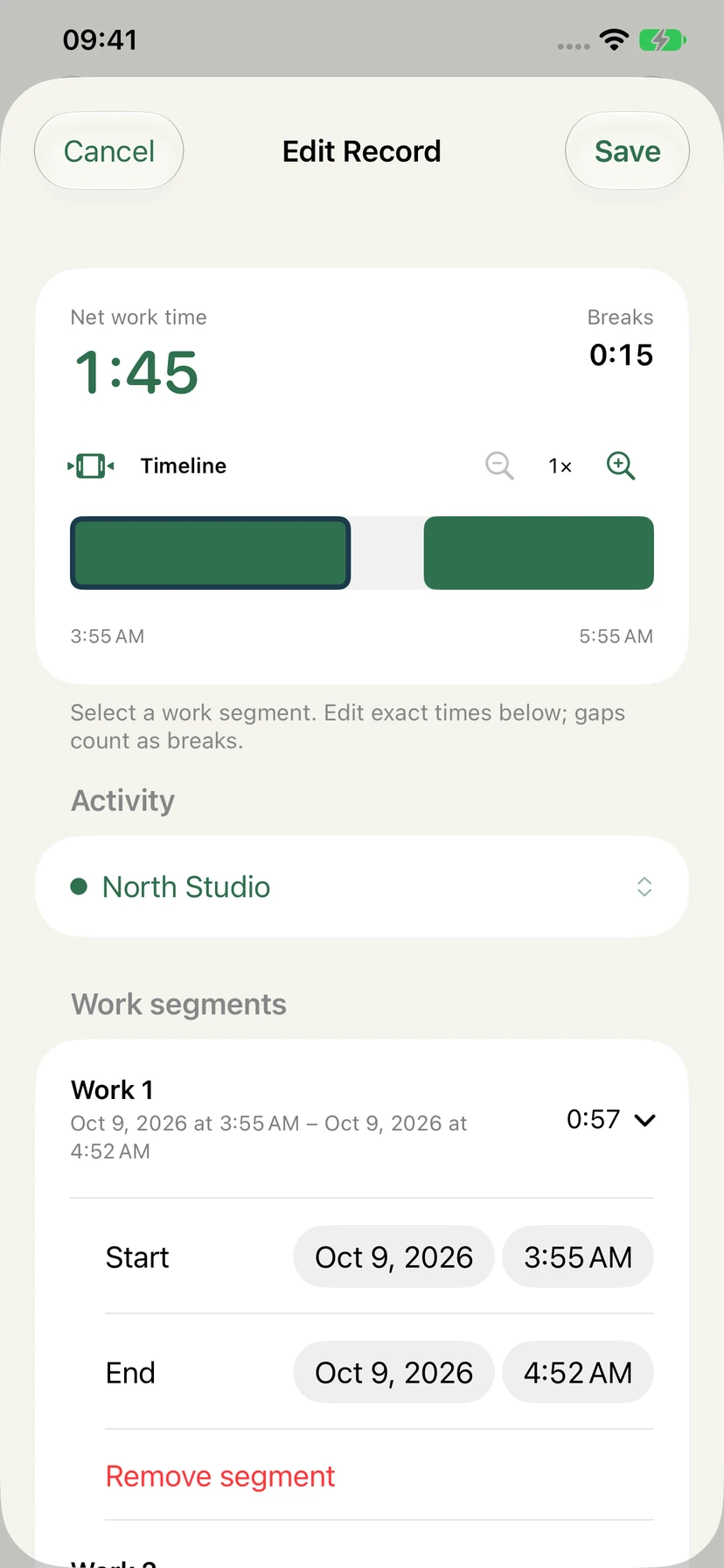
GET THE DETAILS RIGHT
Zoom into a session, adjust its work segments, and add a missed break before saving.
TEN THOUGHTFUL IMPROVEMENTS
Built for people who track their own work. All ten improvements below are part of the 1.1 update awaiting review.
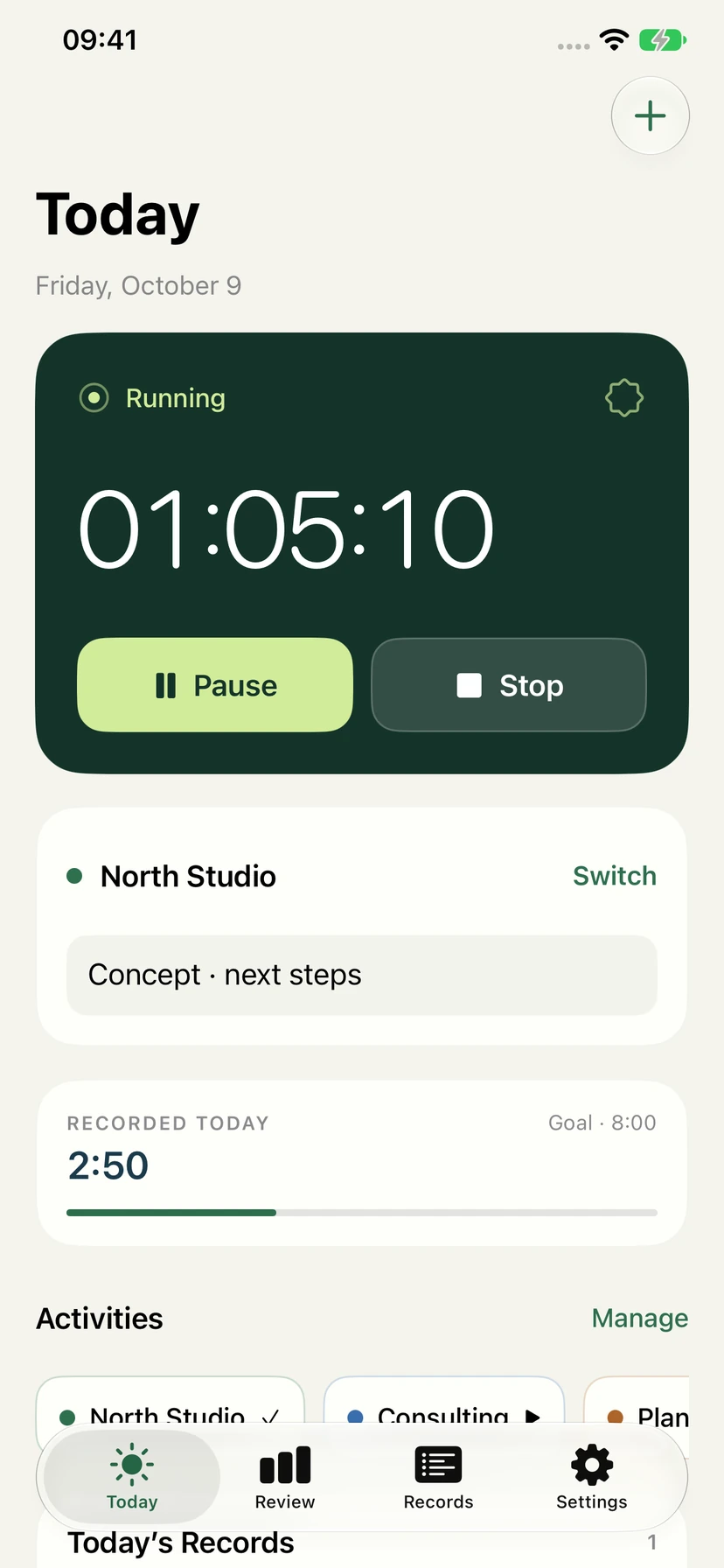
A larger timer, considered colors and a clear daily goal keep the important things in view.
Separate pause, resume and finish actions, plus a saved-time receipt with editing and a five-minute undo window.
Give projects or clients their own color. Start a favorite quickly; switching activities saves the previous session separately.
Browse the month, jump to a date, or use the record list to find a note or activity.
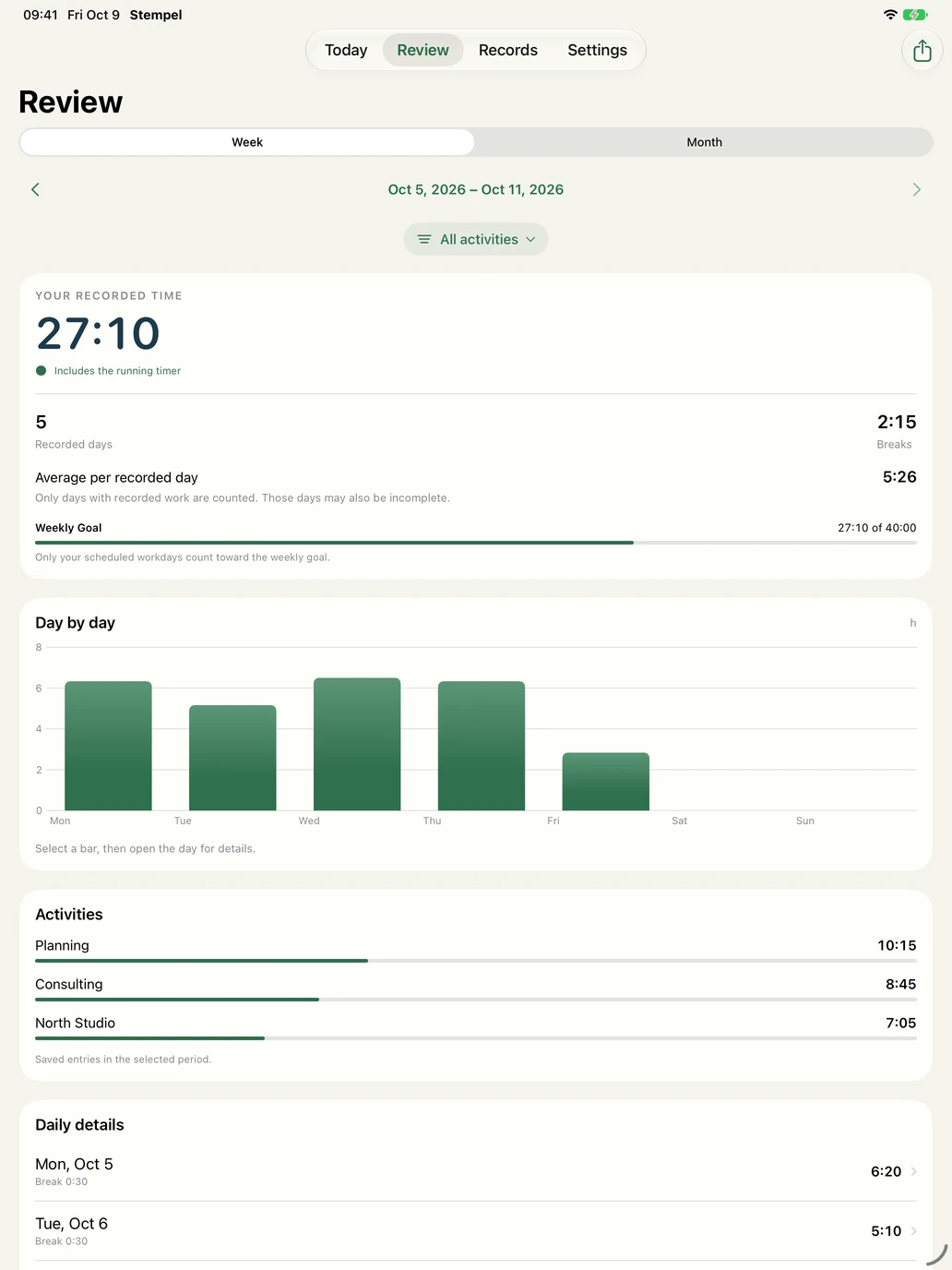
Review earlier periods, filter by activity and explore daily details. Averages use days with recorded time.
Adjust individual work segments and insert missed breaks, with net time visible before you save.
Reuse a record or copy work to past dates, with a preview before adding it to your history.
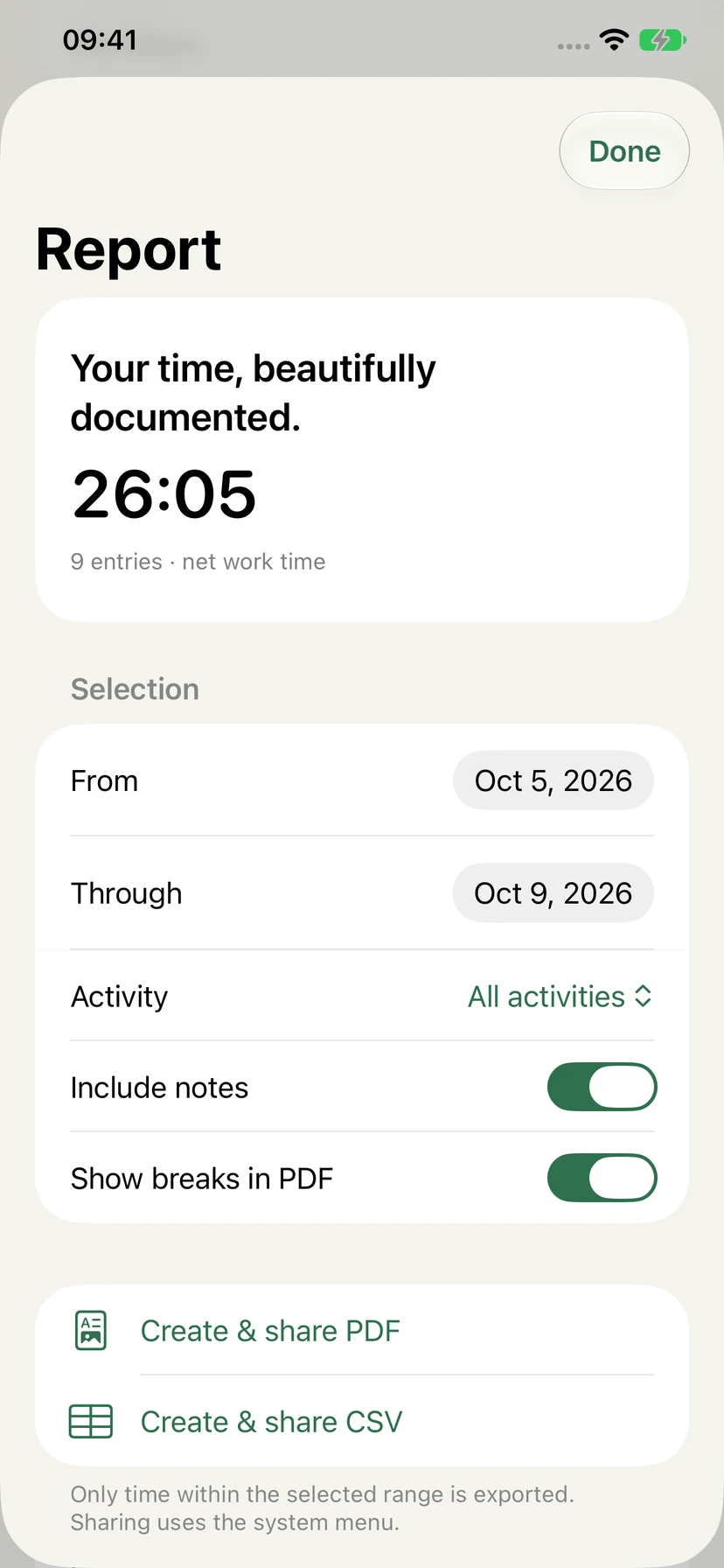
Create a PDF time report or CSV export for a date range and activity. Choose whether to include notes.
Preview local backups before restoring. Check CSV imports for errors, duplicates and conflicts; preserve segments and activities in new exports.
Track independently on Apple Watch, transfer saved records after reconnecting, or control the iPhone timer when connected.
FROM RECORDS TO REPORTS
Choose a period, narrow it to an activity, and decide how much detail to include. Version 1.1 brings a dedicated place for PDF reports and CSV exports.
AT YOUR DESK. ON YOUR WRIST.
The same records, with more space for your weekly chart, activity breakdown and daily details.
The new Apple Watch app in 1.1 can record a session offline. Saved Watch records transfer when the devices reconnect. When connected, you can also pause, resume or finish the iPhone timer.
A watch-face widget opens Stempel directly.
Work records live on your device. Optional iCloud sync is enabled by default, uses the private CloudKit storage associated with your Apple ID, and can be turned off in Settings.
Works offline
Keep recording even when an internet connection is unavailable.
Your private iCloud
Sync work records between your own Apple devices.
A local safety net in 1.1
Backups, activity favorites and templates stay on each device.

Stempel 1.0 is available now. The 1.1 update shown here is awaiting App Review.
Download on the App StoreOne purchase. No subscription.